Fyndare Connector for WordPress & WooCommerce
Connect your store to Fyndare in two minutes. No API keys to generate, no manual configuration. The plugin handles everything — you click one button.
Download the plugin
Version 1.0.0 · GPL-2.0 · WordPress 5.8+ · PHP 7.4+
What the plugin does
Works with or without WooCommerce
The plugin auto-detects whether you have WooCommerce products or a vehicle CPT (Inventory Presser, custom CPTs, etc.) and exposes the right source.
Real-time sync via webhooks
When you create, update, or delete a product in WordPress, it shows up on Fyndare within seconds. No scheduled polling compromise.
Read-only against your site
Fyndare never writes to your store — the plugin only exposes read endpoints. Webhook signatures (HMAC-SHA256) protect every delivery.
How it works
- 1
You install the plugin
Upload the ZIP file in WordPress as usual and click Activate. The plugin immediately generates an API key and webhook secret for you and stores them in WP's option database.
- 2
You click Connect to Fyndare
A new tab opens back to Fyndare with your keys and store URL submitted automatically via the deep link. No copy-paste.
- 3
Fyndare confirms
You see a green card on the Fyndare page with your data. Click Confirm and connect — Fyndare tests the plugin against /wp-json/fyndare/v1/status and marks the connection active.
- 4
Sync starts
Fyndare imports your vehicles, creates listings, and feeds in new ones via webhooks from that point on. You see the count of created/updated listings in the notification bell.
Installation step by step
You need admin access to your WordPress site. The full flow takes about two minutes.
- 1Download the plugin using the button above.
- 2Log in to WordPress admin on your site.
- 3Go to Plugins → Add New → Upload Plugin.
- 4Select the
fyndare-connector.zipfile and click Install Now. - 5When install completes, click Activate Plugin. On the Plugins screen you'll now see Fyndare Connector listed as active.
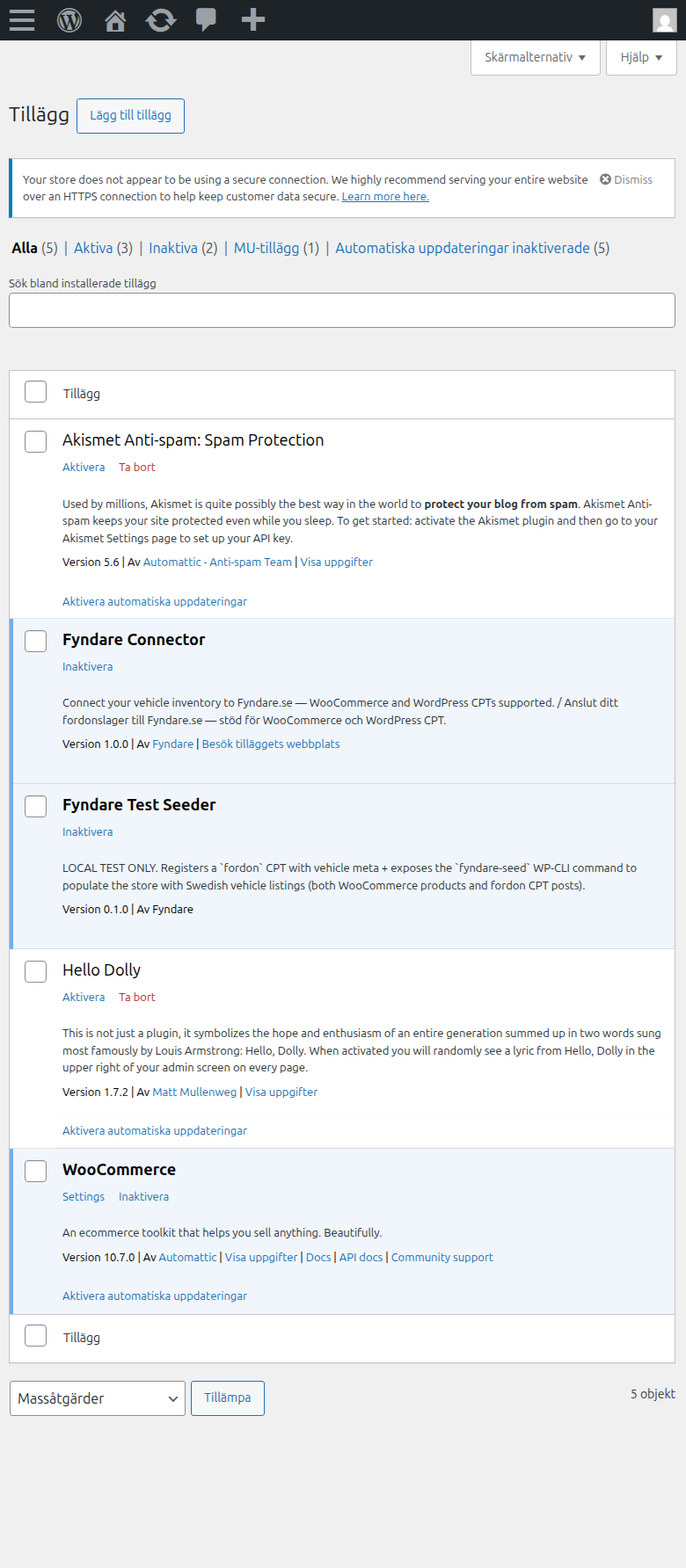
WordPress Plugins screen after activation — Fyndare Connector listed as active - 6Go to Settings → Fyndare Connector. You'll see a page showing the detected data source, API key, and webhook secret — all already generated for you.
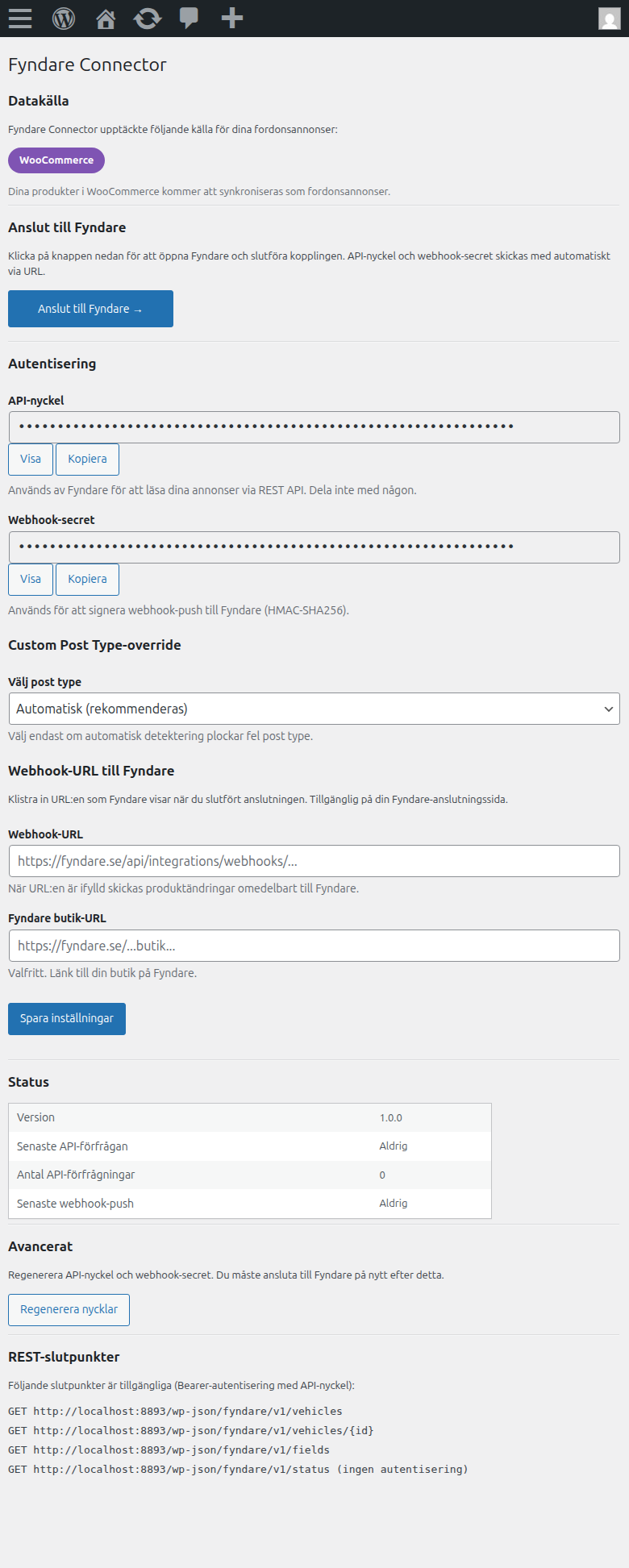
Fyndare Connector settings page in WordPress admin: data source (WooCommerce), Connect to Fyndare button, API key + Webhook secret - 7Click Connect to Fyndare. A new tab opens.
- 8On Fyndare: click Confirm and connect in the green card. Done.
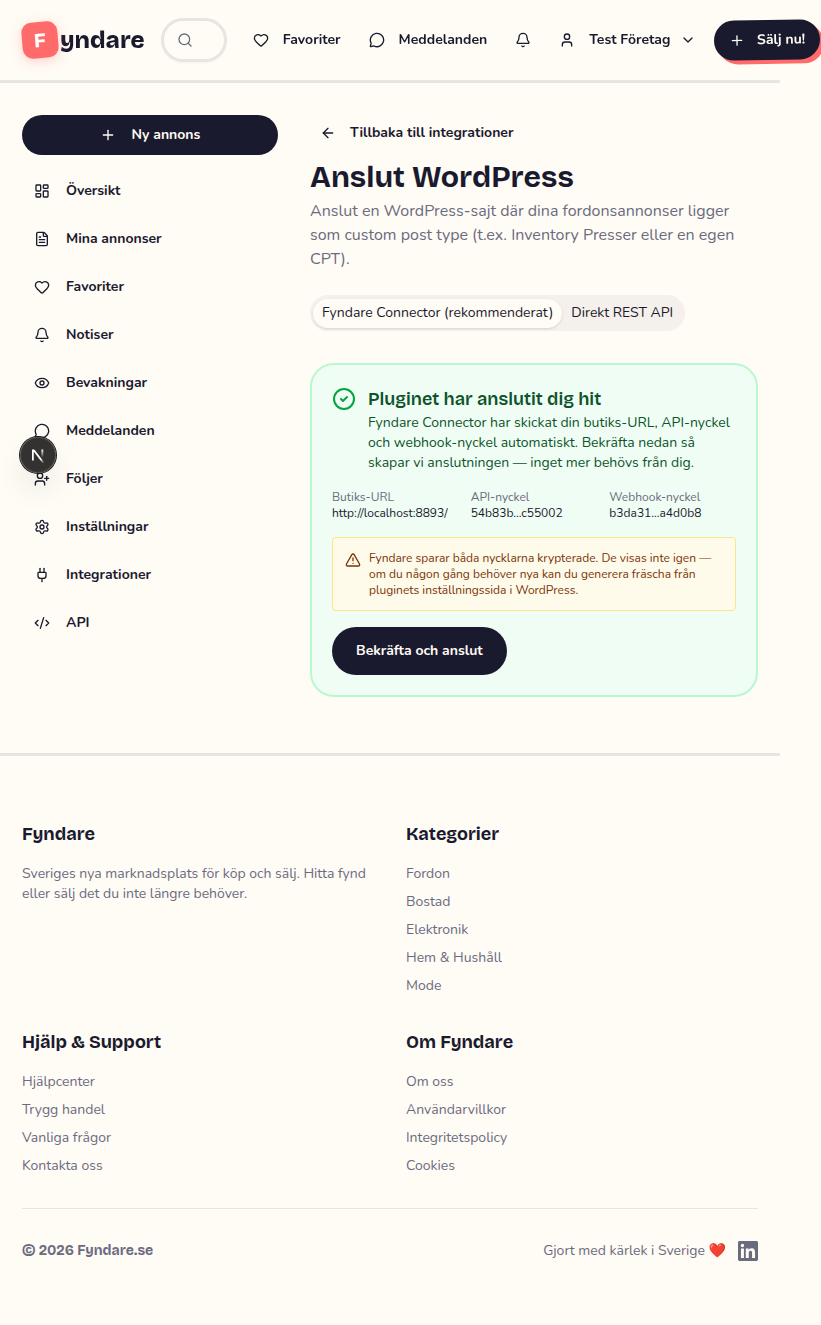
Fyndare's green confirmation card 'The plugin sent you here' with the Confirm and connect button
Ready in two minutes
After you click Confirm and connect, Fyndare tests the plugin automatically. Within seconds you'll get a notification about the first sync with the number of imported listings.
Frequently asked questions
Do I need WooCommerce?
No. The plugin works equally well with a plain WordPress site that has a vehicle CPT (Inventory Presser, custom CPTs named inventory_vehicle, fordon, bil, etc). If the plugin can't find any of these, it shows a selector where you can manually pick the correct CPT.
Does the plugin write anything to my site?
No. All endpoints are read-only — Fyndare reads your products/posts but never modifies them. The plugin only stores its own settings in wp_options (API key, webhook secret, timestamps).
Is it free?
Yes. The plugin is open source under GPL-2.0 and the Fyndare integration costs nothing during the launch period (12 months).
What if my site is down?
Missed webhooks are caught by Fyndare's scheduled sync every 15 minutes. No data is lost — when your site comes back, Fyndare picks up the changes automatically.
How do I rotate the keys if they leak?
On the plugin settings page: click Regenerate keys. New keys are generated, and the plugin's Connect to Fyndare button sends the new values to Fyndare when you click it again.
Can I use direct REST instead?
Yes — if you prefer manual control, direct connections via WooCommerce REST API or WordPress Application Passwords are supported. Open the integration flow and pick the Direct REST API tab.
About real-time sync
The plugin sends a signed HTTPS request to Fyndare every time a product is created, updated, or deleted in WordPress. Fyndare receives it, verifies the signature (HMAC-SHA256 using your webhook secret), and updates the corresponding listing within seconds.
As a safety net, Fyndare also runs a scheduled sync every 15 minutes that skips connections that received a webhook within the last two hours — so you never get double updates, and you don't lose data if a webhook delivery is missed for any reason.
Detailed documentation: the API documentation describes the signing scheme and payload format in full.
Next steps
Questions? [email protected]